







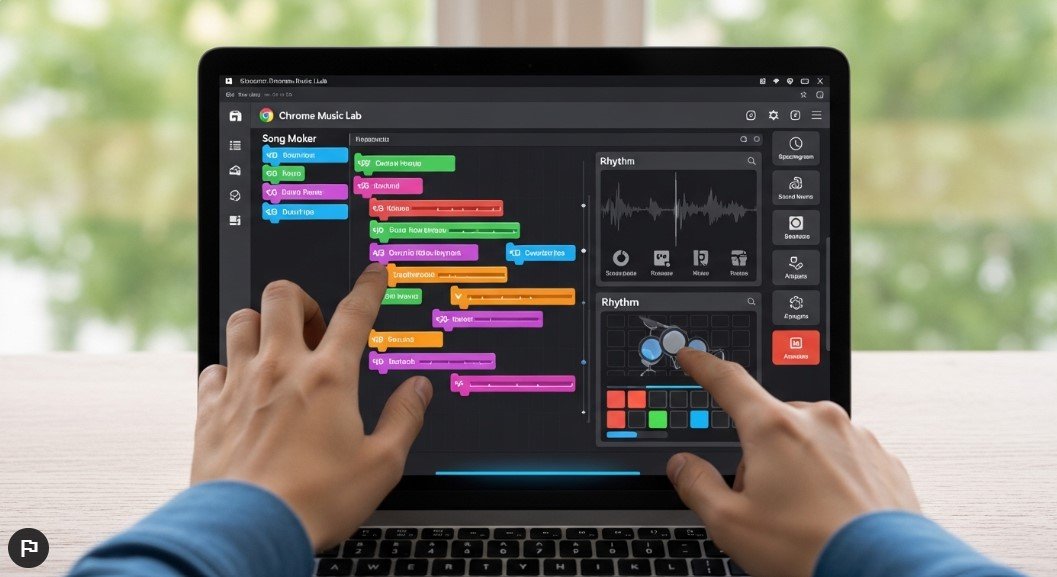
In the present digital world, learning music has never been so easy. If you are a student, teacher, or simply love music, online tools can guide you through your creative journey without the need for costly equipment or training. One such creative innovation is Chrome Music Lab.
This online tool is an array of simple, fun, and interactive experiments to teach music. From the basics of rhythm and melody to the intricacies of sound waves and harmonics, it simplifies complex learning into an engaging experience.
In the following article, we will discuss all aspects of Chrome Music Lab, including its features, benefits, experiments, and how it can be used for learning and teaching.
What is Chrome Music Lab?
Chrome Music Lab is a free online tool developed by Google that helps users explore music with the help of experiments. This tool works in the browser, and hence there is no need to download the software.
It is suitable for all ages. Whether you are new to music or have knowledge in the field, this is the best way to understand music concepts.
It has also become quite popular in schools because it makes music theory fun and easy for anyone to try.
Why Chrome Music Lab is So Popular
There are many reasons why this tool has gained global popularity. One of the biggest factors is its simplicity. You don’t need any prior experience in music to start using it.
Here are some key reasons behind its popularity:
- Easy to use interface
- No sign-up required
- Completely free
- Works on all devices (PC, tablet, mobile)
- Fun and interactive learning approach
Another important factor is accessibility. Since it runs in a browser, students and teachers can use it anytime, anywhere.
Key Features of Chrome Music Lab
Interactive Experiments
The platform includes multiple experiments that help users understand different aspects of music. Each experiment focuses on a specific concept such as rhythm, melody, or sound.
Visual Learning
Instead of reading complex theory, users can see how music works. Colors, shapes, and animations make learning more intuitive.
Instant Feedback
As you interact with the tools, you immediately hear and see the results. This real-time feedback helps users learn faster.
No Installation Required
Everything works online, which makes it convenient for schools and individuals.
Cross-Platform Compatibility
You can use it on:
- Windows
- Mac
- Android
- iOS devices
Different Experiments in Chrome Music Lab
One of the most exciting aspects of Chrome Music Lab is its wide range of experiments. Each one offers a unique way to explore music.
Song Maker
This is one of the most popular experiments. It allows users to create their own melodies using a grid-based system.
You can:
- Add notes
- Change tempo
- Use different instruments
- Share your creations
It’s perfect for beginners who want to start composing music.
Rhythm
The Rhythm experiment teaches users about beats and timing. Animated characters help demonstrate how rhythm works.
This is especially useful for:
- Students learning basic timing
- Teachers explaining rhythm patterns
Spectrogram
This experiment visualizes sound frequencies. When you play music or speak into the microphone, it shows how sound waves behave.
It helps users understand:
- Frequency
- Pitch
- Sound patterns
Sound Waves
Sound Waves explains how sound travels. It uses interactive visuals to show wave motion and vibration.
This experiment is great for connecting music with science concepts.
Arpeggios
Arpeggios allow users to explore chords in a broken form. You can listen to different patterns and understand how notes work together.
Kandinsky
Inspired by the artist Wassily Kandinsky, this experiment combines art and music. Drawing shapes creates sounds, making it a creative tool for artistic expression.
Melody Maker
This experiment is similar to Song Maker but simpler. It helps users create basic melodies easily.
Chords
Chords teaches how different notes combine to create harmony. It’s useful for beginners learning music theory.
Voice Spinner
Voice Spinner lets users record their voice and manipulate it. You can change speed, direction, and effects.
Oscillators
This experiment demonstrates how electronic sounds are generated. It is useful for understanding synthesizers and digital music.
Benefits of Using Chrome Music Lab
1. Enhances Creativity
Users can experiment freely without fear of making mistakes. This encourages creativity and exploration.
2. Makes Learning Fun
Traditional music theory can be complex. This platform turns it into an enjoyable experience.
3. Suitable for All Ages
From kids to adults, anyone can use it easily.
4. Supports Education
Teachers can use it as a teaching aid in classrooms.
5. Encourages Experimentation
Users can try different combinations and discover new sounds.
How Teachers Can Use Chrome Music Lab
Chrome Music Lab is widely used in schools. Teachers can incorporate it into lessons in many ways.
Classroom Activities
- Create group compositions
- Teach rhythm using interactive tools
- Explain sound waves visually
Homework Assignments
Students can:
- Create music projects
- Share compositions with classmates
- Explore experiments independently
Collaborative Learning
Students can work together to create music, promoting teamwork and creativity.
How Students Benefit from Chrome Music Lab
Students find it easier to learn when they are actively involved. This tool provides hands-on experience.
They can:
- Learn by doing
- Understand concepts faster
- Enjoy the learning process
It also helps students develop:
- Listening skills
- Creativity
- Problem-solving abilities
Chrome Music Lab for Beginners
If you are new to music, this platform is perfect for you.
Getting Started
- Open the website
- Choose an experiment
- Start interacting
There is no need for:
- Musical instruments
- Prior knowledge
- Technical skills
Chrome Music Lab vs Traditional Music Learning
Traditional Learning
- Requires instruments
- Can be expensive
- Often theory-heavy
Chrome Music Lab
- Free to use
- Interactive and visual
- Beginner-friendly
While traditional learning is still important, this tool provides a great starting point.
Tips for Using Chrome Music Lab Effectively
To get the most out of this platform, follow these tips:
Start Simple
Begin with basic experiments like Melody Maker or Rhythm.
Explore All Experiments
Each experiment teaches something different.
Practice Regularly
Consistency helps improve understanding.
Share Your Work
You can share your creations with others for feedback.
Is Chrome Music Lab Safe?
Yes, Chrome Music Lab is completely safe to use.
- No downloads required
- No personal data needed
- Developed by a trusted company
This makes it ideal for children and classroom use.
Limitations of Chrome Music Lab
While the platform is excellent, it does have some limitations:
- Not suitable for advanced music production
- Limited customization compared to professional tools
- Requires internet connection
However, for beginners and educational purposes, it is highly effective.
Future of Online Music Learning
Tools like Chrome Music Lab are shaping the future of education. They make learning more interactive and accessible.
As technology evolves, we can expect:
- More advanced features
- Better integration with classrooms
- Enhanced user experience
Conclusion
It is a powerful and easy-to-use tool that makes music learning fun and accessible. Whether you are a student, teacher, or music lover, it is a great way to experience music in a new way.
It is the best free way to learn music online due to the interactive experiments and ease of use, in addition to the learning aspect.
If you are looking for a simple way to grasp music concepts without the complication, then Chrome Music Lab is worth trying.